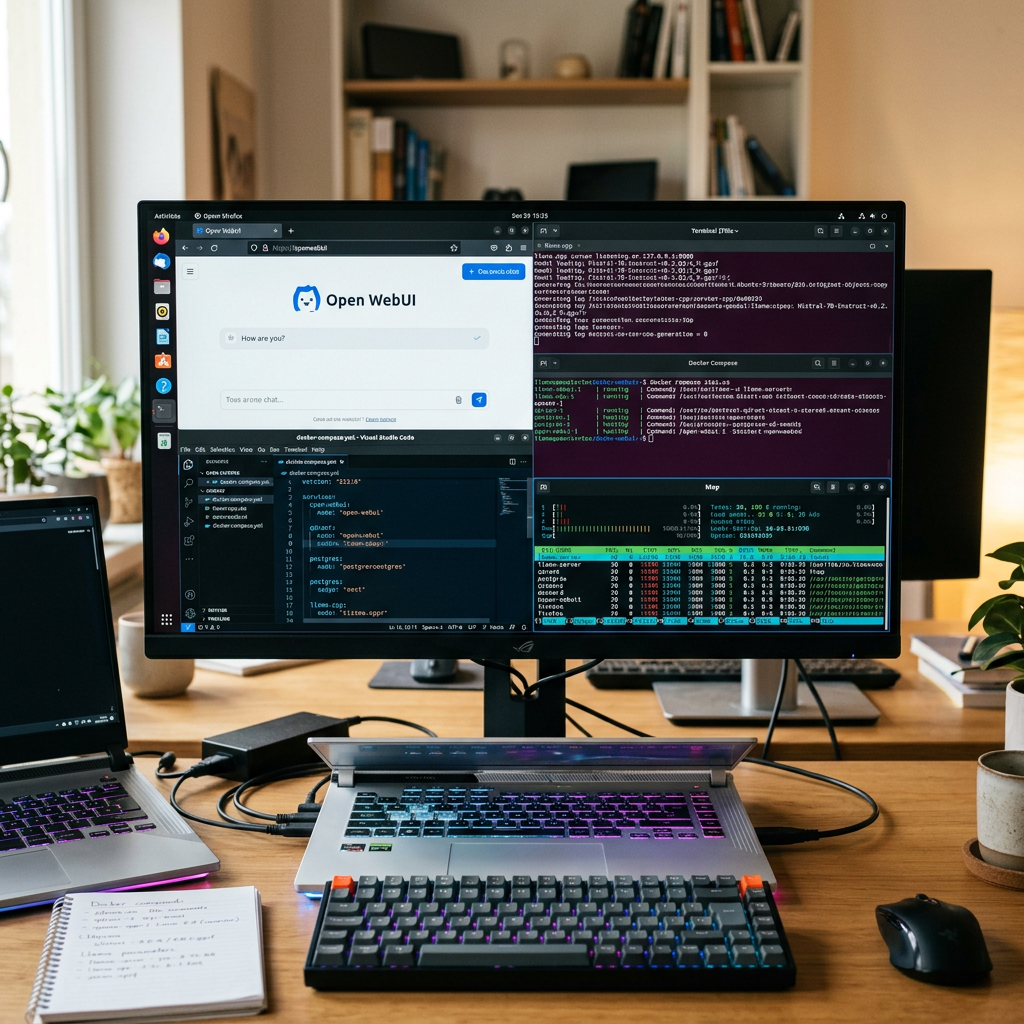
Building a private AI home lab started for me as a simple question: could I create a ChatGPT-style assistant at home using hardware I already had? I did not begin with a polished architecture or a fixed plan. It was more of a hands-on experiment driven by curiosity, a spare machine, and a growing interest in running local models without depending on external AI services. What made the project compelling was not just the promise of privacy, but the chance to understand how these systems actually behave when they run on real hardware with real limitations.
As I worked through the setup, the project quickly became more than just “getting a model to answer questions.” Open WebUI gave me a clean chat interface, while vLLM and llama.cpp became my main tools for hosting and testing different local models. I tried everything from efficient 4B models to heavier 9B–30B-class options, and each step taught me something practical about GPU memory, quantization, context windows, and inference speed. Benchmarks can make a model look amazing, but at home, the real question is whether it responds fast enough, fits in memory, and stays usable for daily work.
Over time, the lab evolved into a full private RAG environment. Open WebUI remained the front end, LiteLLM handled model routing, Apache Tika extracted text from documents, and PostgreSQL plus Qdrant stored metadata and embeddings. That shift changed the system from a local chatbot into something much more useful: an assistant that could answer questions using my own documents. The process involved plenty of Docker troubleshooting, GPU experimentation, model swapping, and tuning, but that was exactly where the value came from. What began as a home experiment has turned into a practical private AI platform and a testing ground for the larger AI systems I build professionally.
From Spare Hardware to a Private AI Lab
The first phase of the project was mostly about proving that local AI was possible with the hardware I already owned. I was not building a datacenter in the basement; I was trying to make use of spare equipment and see how far I could push it. That meant balancing ambition with realism. It is easy to get excited by large open models, but the hardware decides what is actually feasible, and local AI becomes much more interesting when you stop thinking in terms of ideal specs and start thinking in terms of tradeoffs.
Open WebUI became the natural starting point because it immediately made the system feel usable. A command-line model runner is fine for testing, but a proper chat interface changes the experience completely. Once I had a front end in place, I could focus on the back-end experimentation: using vLLM where high-throughput serving made sense, and llama.cpp when I wanted flexibility, efficient quantized inference, or broader compatibility with local hardware. That combination let me compare model behavior in a way that felt practical rather than theoretical.
Very quickly, I learned that model size alone tells you very little. A 4B model might be surprisingly responsive and useful for lightweight tasks, while a 9B or 14B model may offer a clear quality jump without becoming painfully slow. But once you move into 30B-class territory, every decision becomes heavier: memory pressure increases, quantization matters more, and inference speed can drop enough to affect the experience. Running local models taught me to care less about headline benchmarks and more about whether a model fits my hardware, responds consistently, and can handle the context length I actually need.
The most valuable lesson from this stage was understanding GPU memory as the real gatekeeper. People often talk about model performance in abstract terms, but in a home lab, VRAM dictates your options. If a model does not fit comfortably, everything else becomes a workaround. Quantization helped a lot here, because it opened the door to larger models that would otherwise be out of reach. At the same time, quantization is never just a free upgrade; it affects quality, speed, and sometimes stability in ways that only become obvious after repeated testing.
Context length was another area where practical reality overruled marketing. Long context windows sound amazing, but they are expensive. The more context I allocated, the more memory I consumed, and the slower the experience could become depending on the model and runtime. That forced me to think carefully about the use case. Did I really need a huge context window for casual Q&A, or was I better off using retrieval to bring in the right information when needed? Those are the kinds of decisions that turn a hobby experiment into a system design exercise.
There was also plenty of trial and error in the infrastructure itself. Docker made it easier to package components, but “easier” does not mean frictionless. I ran into the usual home-lab problems: networking quirks, GPU passthrough issues, container compatibility oddities, and configuration mistakes that only reveal themselves after an hour of debugging. Still, those frustrations were part of the learning process. Every fix made the lab more stable, and every adjustment gave me a better understanding of how local AI systems behave under real operational conditions.
What surprised me most was how quickly the project moved from novelty to utility. At first, I just wanted to see a local model answer prompts in a browser. Before long, I was comparing runtimes, tuning inference settings, evaluating which models were worth keeping around, and thinking about how to structure the environment so it could support actual work. The home lab stopped being a toy as soon as it became dependable enough to use repeatedly.
That shift in mindset also changed how I evaluated success. I was no longer asking, “Can I run this model?” I was asking, “Would I want to use this every day?” That is a much more demanding standard. It includes latency, reliability, ease of switching models, and whether the whole system feels coherent. Open WebUI, vLLM, and llama.cpp each played a role in making the setup flexible enough to answer that question with something close to yes.
In the end, building the lab from spare hardware taught me that private AI is less about maximum scale and more about thoughtful design. You do not need enterprise infrastructure to build something meaningful. What you do need is a willingness to test, tune, and accept tradeoffs. That process turned my original experiment into a private AI environment that I trust, understand, and can keep improving over time.
Turning Local Models Into a Practical RAG Stack
Once the local model setup was working well enough, the next logical step was making it useful with my own data. A standalone LLM can be impressive, but it quickly runs into limits when you need reliable answers about specific documents, notes, or internal reference material. That is where retrieval-augmented generation changed the project. Instead of asking the model to rely only on training data, I could give it access to the information that actually mattered in my environment.
Open WebUI continued to serve as the user-facing layer, but the back end grew into a more complete stack. LiteLLM became important because it gave me a clean way to route requests across different models and back ends. That flexibility mattered more as the lab became more complex. Some tasks worked fine with smaller, faster models, while others benefited from stronger reasoning or better context handling. Rather than tying everything to one model, I could start treating the system like a platform.
Document ingestion was a major turning point. Apache Tika handled the heavy lifting of extracting text from a variety of files, which made it possible to turn scattered documents into usable inputs for the retrieval pipeline. Without that layer, a RAG setup can become brittle very quickly, especially when documents come in mixed formats. Tika gave the system a more reliable way to process content before it moved on to chunking, embedding, and storage. That practical plumbing is not glamorous, but it is what makes the rest of the stack work.
For storage, I ended up with a combination that felt both simple and effective: PostgreSQL for supporting data and Qdrant for vector search. PostgreSQL provided a comfortable home for structured metadata and application-side information, while Qdrant handled the embedding-based retrieval. I liked the separation because it made the system easier to reason about. Traditional data stayed where it belonged, and semantic search had a dedicated engine built for the job.
That architecture turned the local lab from an AI demo into a question-answering system grounded in my own documentation. Instead of hoping the model “knew” something, I could let retrieval bring in the relevant source material and have the LLM synthesize an answer from it. The difference in usefulness was immediate. Tasks that would have been unreliable with a base model alone suddenly became much more practical, especially when the documents were highly specific or domain-focused.
Of course, building a local RAG stack introduced a new layer of tuning. Chunk size, overlap, embedding quality, retrieval settings, prompt structure, and model selection all affected results. Even small changes could alter whether the system gave a focused answer or wandered off track. I found that this phase required a different kind of patience than model hosting. It was less about getting something to run and more about getting the whole pipeline to behave predictably from ingestion to final response.
Performance also became a more nuanced topic. With pure local inference, I had mostly been watching speed and memory. In RAG, latency came from multiple places: document parsing, embedding generation, vector search, prompt assembly, and final inference. A slow answer might not mean the model was the problem. It could just as easily be a retrieval bottleneck or a document-processing issue. That forced me to think more like a systems builder and less like someone benchmarking a single component.
What I appreciated most about this stage was how much it mirrored the larger AI systems I work on professionally. Even in a small home-lab environment, the same patterns showed up: orchestration, data preparation, retrieval quality, model routing, and infrastructure stability all mattered. The lab became a proving ground where I could test ideas on a smaller scale, understand failure modes, and experiment without the overhead of a full production environment.
In that sense, the private RAG stack became the most valuable part of the whole journey. It took the project beyond the novelty of local model hosting and into something genuinely productive. I was no longer just running an LLM at home to prove I could. I was building a private AI environment that could answer questions over my own knowledge base, protect data privacy, and help me refine the same architectural instincts that matter in much larger deployments.
Looking back, the most important part of building a private AI home lab was not any single model, tool, or hardware upgrade. It was the process of learning how all the pieces fit together in practice. Starting with spare hardware and a basic goal, I ended up with a local AI environment built around Open WebUI, vLLM, llama.cpp, LiteLLM, Apache Tika, PostgreSQL, and Qdrant. More importantly, I came away with a much clearer understanding of what makes local AI usable: not just model quality, but memory limits, inference speed, retrieval design, and operational reliability.
What began as an experiment became a working private assistant and a hands-on lab for testing ideas that extend well beyond the home. That is what makes projects like this worth doing. They give you a direct, practical feel for the tradeoffs that shape real AI systems. Building a private AI lab from scratch is not always smooth, and it definitely involves its share of troubleshooting, but that is exactly why it is so valuable. By the time it works, you have not just assembled a stack, you have learned how to think like the person who has to make it run.
By the end of these steps you will have a single-host, fully private AI stack: Open WebUI as the chat front end, LiteLLM routing requests to local models served by vLLM or llama.cpp, Apache Tika extracting document text, PostgreSQL holding app data, and Qdrant storing embeddings for RAG. Everything runs in Docker Compose on one machine.
The build follows the same two phases as the story above. Phase 1 gets a local model answering in a browser. Phase 2 adds routing, document ingestion and vector search so the assistant can answer from your own files.
Overview
Assumptions used throughout. Adjust the values in .env if your hardware differs.
| Item | Baseline used in this guide | Notes |
|---|---|---|
| OS | Ubuntu Server 24.04 LTS | Debian 12 works with the same commands |
| GPU | 1x NVIDIA GeForce RTX 2070, 8 GB VRAM (Turing) | Runs a 4B model on vLLM and a 9B Q4 GGUF on llama.cpp; larger cards can raise model size and context |
| System RAM | 32 GB+ | 64 GB recommended for 30B-class GGUF offload |
| Disk | 200 GB+ free SSD | Model weights are 3–20 GB each |
| CPU | Any modern x86-64, 8+ threads | Tika and embeddings use CPU |
| Network | Static LAN IP, no inbound internet exposure | Remote access via VPN only |
Ports used.
| Service | Container port | Exposed on host | Purpose |
|---|---|---|---|
| Open WebUI | 8080 | 3000 | Chat UI (the only port you browse to) |
| LiteLLM | 4000 | 127.0.0.1:4000 | OpenAI-compatible router |
| vLLM | 8000 | internal only | High-throughput model server |
| llama.cpp | 8080 | internal only | Quantized GGUF model server |
| Qdrant | 6333 | internal only | Vector database |
| Tika | 9998 | internal only | Document text extraction |
| PostgreSQL | 5432 | internal only | Open WebUI + LiteLLM databases |
Step 1: Prepare the host
The goal of this step is one passing command: a container that can see your GPU. Everything later depends on it.
1. Update the OS and install basics.
sudo apt update && sudo apt -y full-upgrade
sudo apt -y install curl git ca-certificates gnupg ubuntu-drivers-common
sudo reboot
2. Install the NVIDIA driver, then reboot and confirm the GPU is visible.
sudo ubuntu-drivers install --gpgpu   # picks the recommended server driver
sudo reboot
nvidia-smi                           # must list your GPU and a driver version
3. Install Docker Engine and the Compose plugin from Docker’s repository (not the Ubuntu docker.io package).
sudo install -m 0755 -d /etc/apt/keyrings
curl -fsSL https://download.docker.com/linux/ubuntu/gpg | sudo gpg --dearmor -o /etc/apt/keyrings/docker.gpg
echo "deb [arch=$(dpkg --print-architecture) signed-by=/etc/apt/keyrings/docker.gpg] https://download.docker.com/linux/ubuntu $(. /etc/os-release && echo $VERSION_CODENAME) stable" | sudo tee /etc/apt/sources.list.d/docker.list
sudo apt update
sudo apt -y install docker-ce docker-ce-cli containerd.io docker-buildx-plugin docker-compose-plugin
sudo usermod -aG docker $USER && newgrp docker
4. Install the NVIDIA Container Toolkit and register it with Docker.
curl -fsSL https://nvidia.github.io/libnvidia-container/gpgkey | sudo gpg --dearmor -o /usr/share/keyrings/nvidia-container-toolkit-keyring.gpg
curl -s -L https://nvidia.github.io/libnvidia-container/stable/deb/nvidia-container-toolkit.list \
  | sed 's#deb https://#deb [signed-by=/usr/share/keyrings/nvidia-container-toolkit-keyring.gpg] https://#g' \
  | sudo tee /etc/apt/sources.list.d/nvidia-container-toolkit.list
sudo apt update && sudo apt -y install nvidia-container-toolkit
sudo nvidia-ctk runtime configure --runtime=docker
sudo systemctl restart docker
5. Run the GPU smoke test. Do not continue until this prints the same table as nvidia-smi on the host.
docker run --rm --gpus all nvidia/cuda:12.4.1-base-ubuntu22.04 nvidia-smi6. Lock down the host firewall so only SSH and the UI are reachable from your LAN.
sudo ufw allow from 192.168.0.0/16 to any port 22 proto tcp
sudo ufw allow from 192.168.0.0/16 to any port 3000 proto tcp
sudo ufw enable
Note: Docker publishes ports through iptables and can bypass UFW. That is why every service except Open WebUI and LiteLLM stays internal in the Compose file, and why LiteLLM binds to 127.0.0.1 there.
Step 2: Project layout and secrets
All config lives in one folder so the whole lab can be rebuilt from a backup of it.
mkdir -p ~/ai-lab/{models,litellm,postgres-init}
cd ~/ai-lab
Target layout:
~/ai-lab/
├── .env                    # secrets and tunables
├── docker-compose.yml      # full stack (Step 4)
├── litellm/config.yaml     # model routing (Step 4)
├── postgres-init/01-dbs.sql
└── models/                 # GGUF files for llama.cpp
Create .env. Generate each secret with openssl rand -hex 32.
cat > .env <<'EOF'
# --- Secrets ---
POSTGRES_PASSWORD=change-me
LITELLM_MASTER_KEY=sk-change-me
WEBUI_SECRET_KEY=change-me
HF_TOKEN=                       # only needed for gated Hugging Face models

# --- vLLM (Hugging Face model id) ---
VLLM_MODEL=Qwen/Qwen3-4B-AWQ        # 4-bit AWQ so it fits in 8 GB
VLLM_MAX_LEN=8192
VLLM_GPU_UTIL=0.90

# --- llama.cpp (GGUF file in ./models) ---
LLAMA_GGUF=Qwen3.5-9B-Q4_K_S.gguf
LLAMA_CTX=8192
LLAMA_GPU_LAYERS=99
EOF
chmod 600 .env
Create the Postgres init script so one Postgres instance serves both Open WebUI and LiteLLM.
cat > postgres-init/01-dbs.sql <<'EOF'
CREATE DATABASE openwebui;
CREATE DATABASE litellm;
EOF
Download the GGUF used on the RTX 2070: Unsloth’s Qwen3.5 9B at Q4_K_S, which leaves room for an 8K context in 8 GB of VRAM.
pip install -U "huggingface_hub[cli]" --break-system-packages
hf download unsloth/Qwen3.5-9B-MTP-GGUF Qwen3.5-9B-Q4_K_S.gguf --local-dir ./models
Already downloaded it into the Hugging Face cache (for example ~/.cache/huggingface/hub/models--unsloth--Qwen3.5-9B-MTP-GGUF/snapshots/<hash>/)? Copy or symlink that file into ./models instead of downloading again. If the repo or filename has changed, check the model’s Files tab on Hugging Face and adjust LLAMA_GGUF to match.
Step 3: Phase 1 — a local model in the browser
This is the first milestone: a ChatGPT-style chat running entirely on your hardware. Open WebUI talks straight to llama.cpp here; LiteLLM comes in Phase 2.
Create docker-compose.phase1.yml:
services:
  llamacpp:
    image: ghcr.io/ggml-org/llama.cpp:server-cuda
    restart: unless-stopped
    volumes:
      - ./models:/models:ro
    command: >
      -m /models/${LLAMA_GGUF}
      --host 0.0.0.0 --port 8080
      -c ${LLAMA_CTX} -ngl ${LLAMA_GPU_LAYERS}
      --alias local-gguf --jinja
    deploy:
      resources:
        reservations:
          devices: [{ driver: nvidia, count: all, capabilities: [gpu] }]

  open-webui:
    image: ghcr.io/open-webui/open-webui:main
    restart: unless-stopped
    ports: ["3000:8080"]
    environment:
      ENABLE_OLLAMA_API: "false"
      OPENAI_API_BASE_URL: http://llamacpp:8080/v1
      OPENAI_API_KEY: none
      WEBUI_SECRET_KEY: ${WEBUI_SECRET_KEY}
    volumes:
      - openwebui:/app/backend/data
    depends_on: [llamacpp]

volumes:
  openwebui:
Start it and watch the model load:
docker compose -f docker-compose.phase1.yml up -d
docker compose -f docker-compose.phase1.yml logs -f llamacpp   # wait for "server is listening"
Open http://<host-ip>:3000, create the first account (it becomes the admin), pick local-gguf in the model selector and send a prompt.
Checkpoint. Tokens stream back and nvidia-smi shows the llama.cpp process holding VRAM. If generation is slow and VRAM is near zero, the model is running on CPU; see Troubleshooting.
When you are done testing, tear Phase 1 down before moving on. The Phase 2 stack reuses the same GPU and port.
docker compose -f docker-compose.phase1.yml downStep 4: Phase 2 — the full private RAG stack
This step turns the chatbot into the final platform. The two model servers sit behind Compose profiles, so on a single GPU you run one at a time and switch with a flag.
4a. LiteLLM routing config. Create litellm/config.yaml. Each model_name is what users see in Open WebUI.
model_list:
  - model_name: qwen3-4b-fast          # vLLM, fast everyday model
    litellm_params:
      model: hosted_vllm/qwen3-4b
      api_base: http://vllm:8000/v1

  - model_name: qwen3.5-9b-gguf        # llama.cpp, Q4_K_S, stronger answers
    litellm_params:
      model: openai/local-gguf
      api_base: http://llamacpp:8080/v1
      api_key: none

litellm_settings:
  drop_params: true
  request_timeout: 600

general_settings:
  master_key: os.environ/LITELLM_MASTER_KEY
  database_url: os.environ/DATABASE_URL
4b. Compose file. Create docker-compose.yml:
x-gpu: &gpu
  deploy:
    resources:
      reservations:
        devices: [{ driver: nvidia, count: all, capabilities: [gpu] }]

services:
  postgres:
    image: postgres:16
    restart: unless-stopped
    environment:
      POSTGRES_PASSWORD: ${POSTGRES_PASSWORD}
    volumes:
      - pgdata:/var/lib/postgresql/data
      - ./postgres-init:/docker-entrypoint-initdb.d:ro
    healthcheck:
      test: ["CMD-SHELL", "pg_isready -U postgres"]
      interval: 10s
      retries: 10

  qdrant:
    image: qdrant/qdrant:latest
    restart: unless-stopped
    volumes:
      - qdrant:/qdrant/storage

  tika:
    image: apache/tika:latest-full
    restart: unless-stopped

  vllm:
    <<: *gpu
    profiles: ["vllm"]
    image: vllm/vllm-openai:latest
    restart: unless-stopped
    ipc: host
    environment:
      HUGGING_FACE_HUB_TOKEN: ${HF_TOKEN}
    volumes:
      - hfcache:/root/.cache/huggingface
    command: >
      --model ${VLLM_MODEL}
      --served-model-name qwen3-4b
      --max-model-len ${VLLM_MAX_LEN}
      --gpu-memory-utilization ${VLLM_GPU_UTIL}
      --dtype half

  llamacpp:
    <<: *gpu
    profiles: ["gguf"]
    image: ghcr.io/ggml-org/llama.cpp:server-cuda
    restart: unless-stopped
    volumes:
      - ./models:/models:ro
    command: >
      -m /models/${LLAMA_GGUF}
      --host 0.0.0.0 --port 8080
      -c ${LLAMA_CTX} -ngl ${LLAMA_GPU_LAYERS}
      --alias local-gguf --jinja

  litellm:
    image: ghcr.io/berriai/litellm:main-stable
    restart: unless-stopped
    ports: ["127.0.0.1:4000:4000"]
    environment:
      LITELLM_MASTER_KEY: ${LITELLM_MASTER_KEY}
      DATABASE_URL: postgresql://postgres:${POSTGRES_PASSWORD}@postgres:5432/litellm
    volumes:
      - ./litellm/config.yaml:/app/config.yaml:ro
    command: ["--config", "/app/config.yaml", "--port", "4000"]
    depends_on:
      postgres: { condition: service_healthy }

  open-webui:
    image: ghcr.io/open-webui/open-webui:main
    restart: unless-stopped
    ports: ["3000:8080"]
    environment:
      WEBUI_SECRET_KEY: ${WEBUI_SECRET_KEY}
      ENABLE_OLLAMA_API: "false"
      OPENAI_API_BASE_URL: http://litellm:4000/v1
      OPENAI_API_KEY: ${LITELLM_MASTER_KEY}
      DATABASE_URL: postgresql://postgres:${POSTGRES_PASSWORD}@postgres:5432/openwebui
      VECTOR_DB: qdrant
      QDRANT_URI: http://qdrant:6333
      CONTENT_EXTRACTION_ENGINE: tika
      TIKA_SERVER_URL: http://tika:9998
      CHUNK_SIZE: "1000"
      CHUNK_OVERLAP: "100"
      RAG_TOP_K: "5"
    volumes:
      - openwebui:/app/backend/data
    depends_on:
      postgres: { condition: service_healthy }
      litellm: { condition: service_started }
      qdrant: { condition: service_started }
      tika: { condition: service_started }

volumes:
  pgdata:
  qdrant:
  hfcache:
  openwebui:
A few things worth calling out:
- Profiles.
vllmandllamacpponly start when you name their profile. On an 8 GB card like the RTX 2070, run one at a time: vLLM pre-allocates its share of VRAM at startup, so the two servers cannot share the GPU. Cards with 24 GB+ can run both withVLLM_GPU_UTILaround 0.40. - Persistent settings. Open WebUI reads the RAG variables (chunk size, top K, extraction engine) on first start only. After that the values in Admin Panel → Settings win, so change them there.
- Turing GPUs (RTX 20-series). These cards have no native bfloat16 support, so the vLLM service passes
--dtype halfto run in FP16. Newer cards can drop that flag. - Version pinning.
latest,mainandmain-stablemake the guide easy to follow but not reproducible over time. Pin the exact tags once you have a working build (see Maintenance).
Step 5: Bring it up and verify each layer
Verify bottom-up. When something breaks later, this order tells you which layer to blame.
1. Start the stack with one model server.
cd ~/ai-lab
docker compose --profile gguf up -d        # llama.cpp
# or: docker compose --profile vllm up -d  # vLLM (first run downloads the model)
docker compose ps                          # all services should be "running"/"healthy"
2. Check each service from inside the Docker network.
# Postgres: both databases exist
docker compose exec postgres psql -U postgres -c '\l' | grep -E 'openwebui|litellm'

# Qdrant: responds with its version
docker compose exec open-webui curl -s http://qdrant:6333

# Tika: should print "This is Tika Server"
docker compose exec open-webui curl -s http://tika:9998/tika

# Model server (llama.cpp shown; vLLM uses http://vllm:8000/v1/models)
docker compose exec open-webui curl -s http://llamacpp:8080/v1/models
3. Test LiteLLM end to end from the host.
source .env
curl -s http://127.0.0.1:4000/v1/models -H "Authorization: Bearer $LITELLM_MASTER_KEY"

curl -s http://127.0.0.1:4000/v1/chat/completions \
  -H "Authorization: Bearer $LITELLM_MASTER_KEY" -H "Content-Type: application/json" \
  -d '{"model":"qwen3.5-9b-gguf","messages":[{"role":"user","content":"Say hello in five words."}]}'
4. Open the UI. Browse to http://<host-ip>:3000. Phase 2 uses a fresh Postgres database, so create the admin account again. Both LiteLLM model names should appear in the selector; only the one whose profile is running will answer.
5. Switch model servers when you want to compare runtimes.
docker compose --profile gguf stop llamacpp
docker compose --profile vllm up -d vllm
Checkpoint. A chat with each model returns an answer, and docker compose logs litellm shows the request routed to the right backend.
Step 6: Configure RAG and test with your own documents
This is where the lab stops being a chatbot. The test below proves every link in the pipeline: Tika extracts, the embedder vectorizes, Qdrant stores and retrieves, and the model answers from your file.
1. Confirm the pipeline settings in Admin Panel → Settings → Documents:
- Content Extraction Engine: Tika, URL
http://tika:9998 - Embedding model:
sentence-transformers/all-MiniLM-L6-v2(Open WebUI’s built-in default, so it needs no setting in the Compose file) - Chunk size 1000, overlap 100, Top K 5
2. Create a knowledge base. Go to Workspace → Knowledge → +, name it Lab Docs, and upload a mix of formats (one PDF, one DOCX, one TXT or Markdown file).
3. Confirm the vectors landed in Qdrant.
docker compose exec open-webui curl -s http://qdrant:6333/collectionsYou should see collections created by Open WebUI. If the list is empty, extraction or embedding failed; check docker compose logs open-webui | grep -i -E 'tika|embed|error'.
4. Create a grounded model. Go to Workspace → Models → +, choose base model qwen3.5-9b-gguf, attach the Lab Docs knowledge, and add a system prompt such as: Answer only from the provided context. If the answer is not in the context, say so.
5. Ask a question whose answer exists only in one of your uploaded files. A good answer cites the source document under the response.
6. Ask a question that is not covered by the files. The model should say it does not know rather than invent an answer.
Checkpoint. Both test questions behave as expected. If the first fails but Qdrant has data, the problem is retrieval tuning (Step 7), not the infrastructure.
Step 7: Tune for your hardware
VRAM decides what you can run, so size models to memory first and tune quality second. The figures below are approximate starting points, not benchmarks.
Model size vs VRAM (weights only, before context).
| Model class | FP16/BF16 | ~8-bit | ~4-bit (Q4_K_M / AWQ) | On an 8 GB RTX 2070 at 4-bit |
|---|---|---|---|---|
| 4B | ~8 GB | ~4.5 GB | ~2.5 GB | Yes; tested on vLLM (AWQ), fast |
| 9B | ~18 GB | ~10 GB | ~5.5 GB | Yes |
| 14B | ~28 GB | ~15 GB | ~9 GB | Tight; needs partial CPU offload |
| 30B-class | ~60 GB | ~32 GB | ~18 GB | No; needs 24 GB or heavy CPU offload |
Knobs and what they trade.
| Setting | Where | Raise it to get | Cost |
|---|---|---|---|
VLLM_MAX_LEN / LLAMA_CTX | .env | Longer prompts and more RAG context | KV-cache VRAM grows with every token |
VLLM_GPU_UTIL | .env | More KV cache, more concurrent users | Less VRAM for anything else on the GPU |
LLAMA_GPU_LAYERS | .env | Speed (99 = all layers on GPU) | Lower it to fit larger models; slower |
| Quantization (Q4 → Q6/Q8) | GGUF file choice | Answer quality | More VRAM, slower tokens |
| Chunk size | Admin → Documents | More context per hit | Less precise retrieval |
| Chunk overlap | Admin → Documents | Fewer answers split across chunks | Larger index |
| Top K | Admin → Documents | Better recall | Longer prompts, slower answers |
A practical tuning loop:
- Pick the largest model that fits at 4-bit with at least 1.5–2 GB of VRAM to spare for context. On the RTX 2070 that is the 9B Q4_K_S.
- Set context to the smallest value that covers Top K × chunk size plus your longest normal prompt. With the defaults above, 8K tokens covers five 1,000-character chunks plus the conversation and fits the RTX 2070.
- Run the same five RAG questions after each change and note answer quality and time to first token.
- Change one setting at a time. After changing the embedding model or chunk settings, re-upload or re-index the knowledge base so old vectors are replaced.
Troubleshooting
Most failures fall into the same few categories: GPU passthrough, networking between containers, and memory.
| Symptom | Likely cause | Fix |
|---|---|---|
could not select device driver "nvidia" | Container Toolkit not registered with Docker | Rerun sudo nvidia-ctk runtime configure --runtime=docker and restart Docker |
| llama.cpp is very slow, VRAM near 0 | CPU-only image or -ngl 0 | Use the server-cuda image and set LLAMA_GPU_LAYERS=99 |
| vLLM exits with CUDA out of memory | Model + KV cache exceed VRAM | Lower VLLM_MAX_LEN, lower VLLM_GPU_UTIL, or use an AWQ/GPTQ build |
| vLLM fails with a bfloat16 or compute-capability error | Turing GPU (RTX 20-series) | Keep --dtype half; use AWQ/GPTQ builds, not FP8 |
| vLLM fails to start alongside llama.cpp | vLLM pre-allocates VRAM | Run one profile at a time |
| Open WebUI shows no models | Wrong base URL or key | OPENAI_API_BASE_URL must end in /v1; key must equal LITELLM_MASTER_KEY |
| LiteLLM returns 404 / model not found | model_name vs served name mismatch | vLLM --served-model-name and llama.cpp --alias must match config.yaml |
| Env changes to RAG settings do nothing | Persistent config already saved | Change them in Admin → Settings → Documents |
| Uploads succeed but answers ignore them | Knowledge not attached, or Top K too low | Attach knowledge to the model; raise Top K to 8 and retest |
| Uploads fail on PDFs | Tika unreachable | curl http://tika:9998/tika from the open-webui container |
connection refused to localhost between services | localhost means the container itself | Use the service name (http://litellm:4000) inside Compose |
| Port reachable from outside despite UFW | Docker bypasses UFW for published ports | Publish only what you need; bind admin ports to 127.0.0.1 |
Useful one-liners:
docker compose logs -f --tail=100 <service>
watch -n1 nvidia-smi
docker compose exec open-webui env | grep -E 'RAG|TIKA|QDRANT|OPENAI'
Maintenance: pin, back up, update
A build is only reproducible if you can get the same versions back.
1. Record the exact versions you ran, then put them in the Compose file in place of latest, main and main-stable:
docker compose images --format json | jq -r '.[] | "\(.Repository):\(.Tag)  \(.ID)"'
docker image inspect --format '{{index .RepoDigests 0}}' ghcr.io/open-webui/open-webui:main
Pinning by digest (image@sha256:...) is the strictest option; a version tag is easier to read.
2. Back up everything that is not reproducible from the Compose file:
cd ~/ai-lab
docker compose exec -T postgres pg_dumpall -U postgres > backup-$(date +%F).sql
docker run --rm -v ai-lab_qdrant:/data -v $PWD:/backup alpine tar czf /backup/qdrant-$(date +%F).tgz -C /data .
docker run --rm -v ai-lab_openwebui:/data -v $PWD:/backup alpine tar czf /backup/openwebui-$(date +%F).tgz -C /data .
tar czf config-$(date +%F).tgz .env docker-compose.yml litellm postgres-init
Model files and the Hugging Face cache can be re-downloaded, so they are optional in backups.
3. Update one service at a time and retest Steps 5 and 6 after each:
docker compose pull open-webui && docker compose up -d open-webuiRead the Open WebUI and LiteLLM release notes before major upgrades; both occasionally change environment variable names or database migrations.